All your app updates.
One beautiful interface.
Works with Homebrew, Mac App Store, Sparkle, Electron, and GitHub Releases.
$ brew tap updatest/tap https://github.com/updatest/tap.git$ brew install --cask updatest@betaRequires macOS 15.0 or later
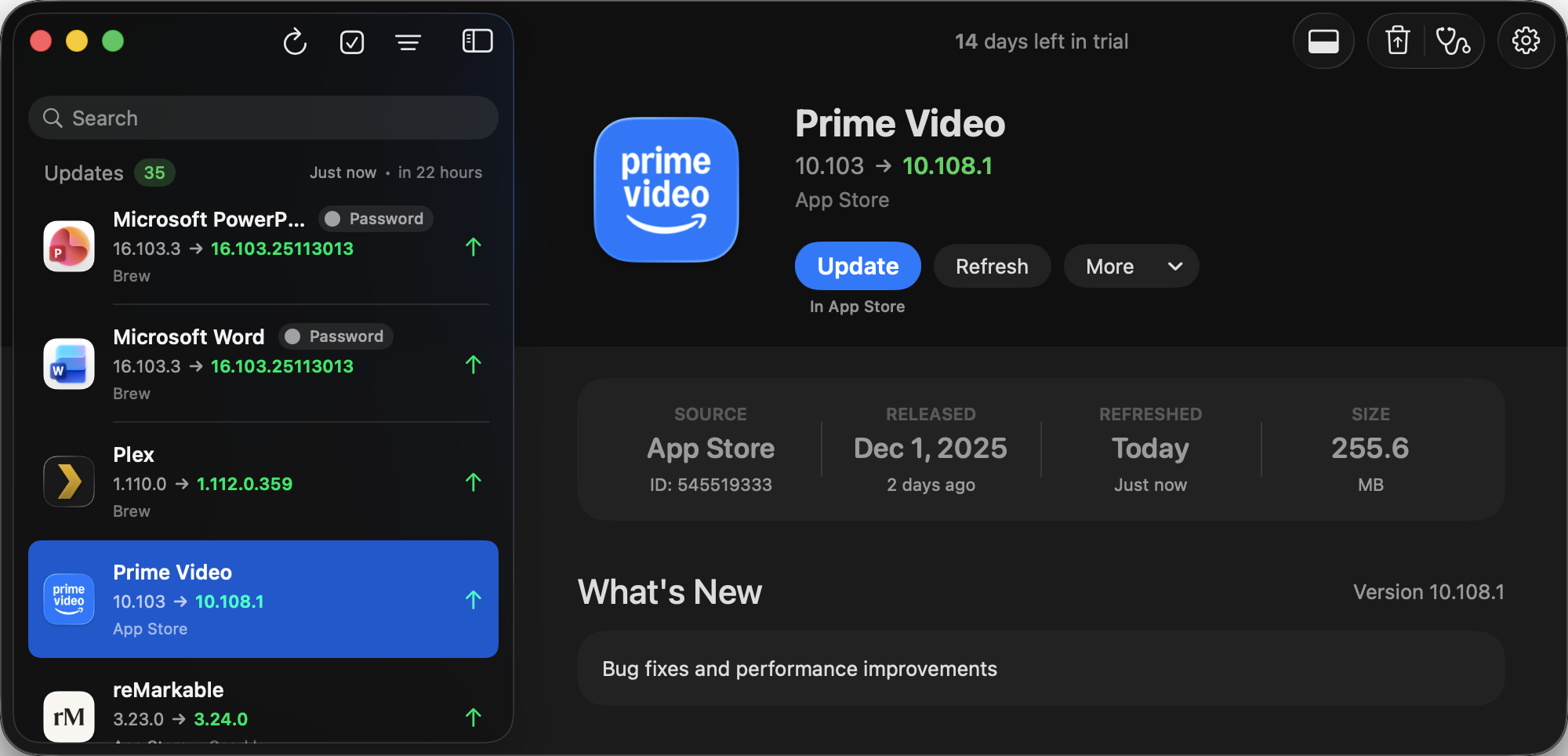
* Screenshot may not reflect the latest beta UI
Homebrew's power.
Updatest's simplicity.
Bringing visual clarity to Homebrew's --adopt feature.
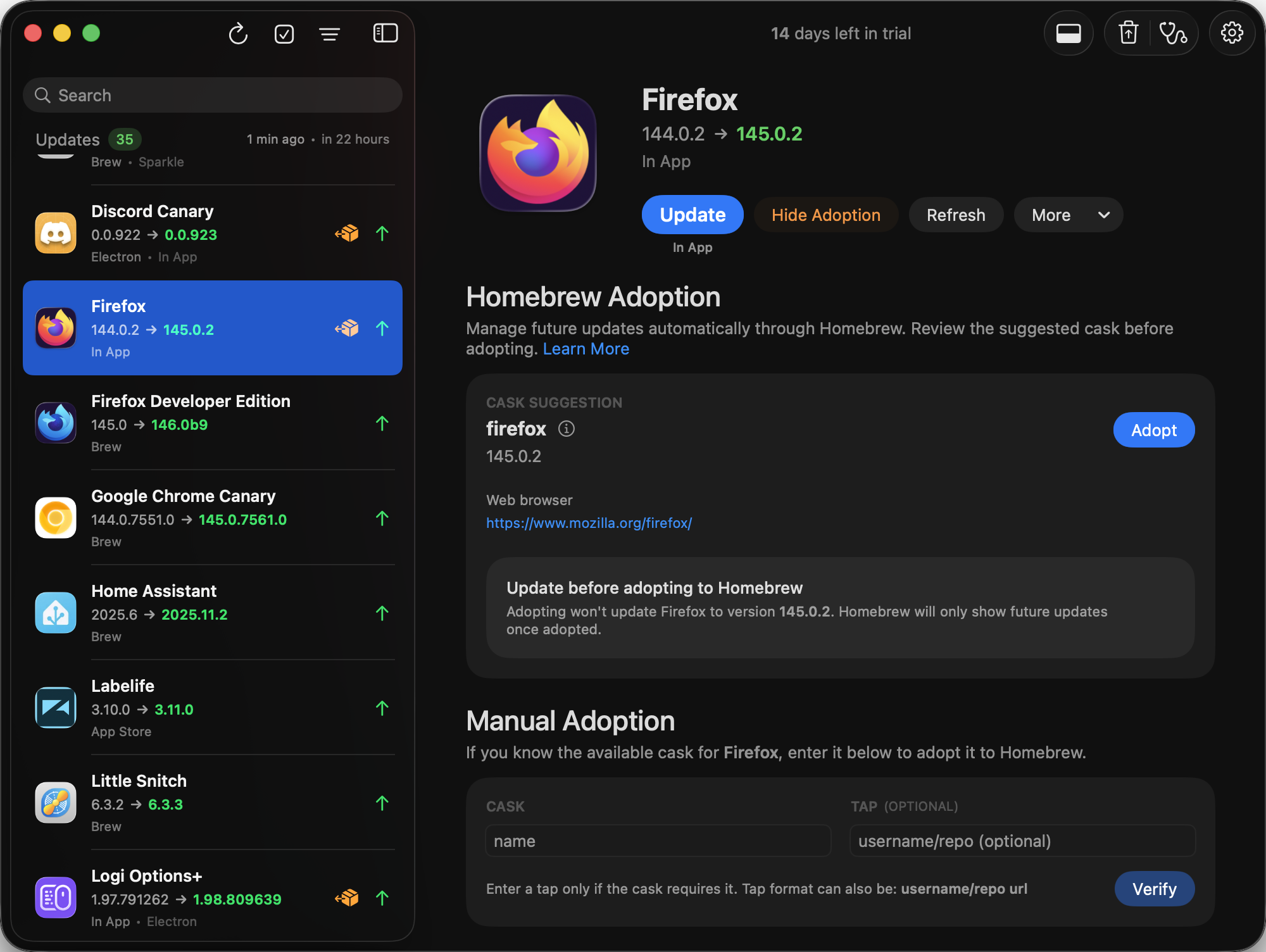
* Screenshot may not reflect the latest beta UI
Update them all.
Or be selective.
Bulk select updates or skip the ones you don't want. You're in control.
Bulk Selection
Select or deselect multiple apps at once
Skip Updates
Ignore specific versions you don't want
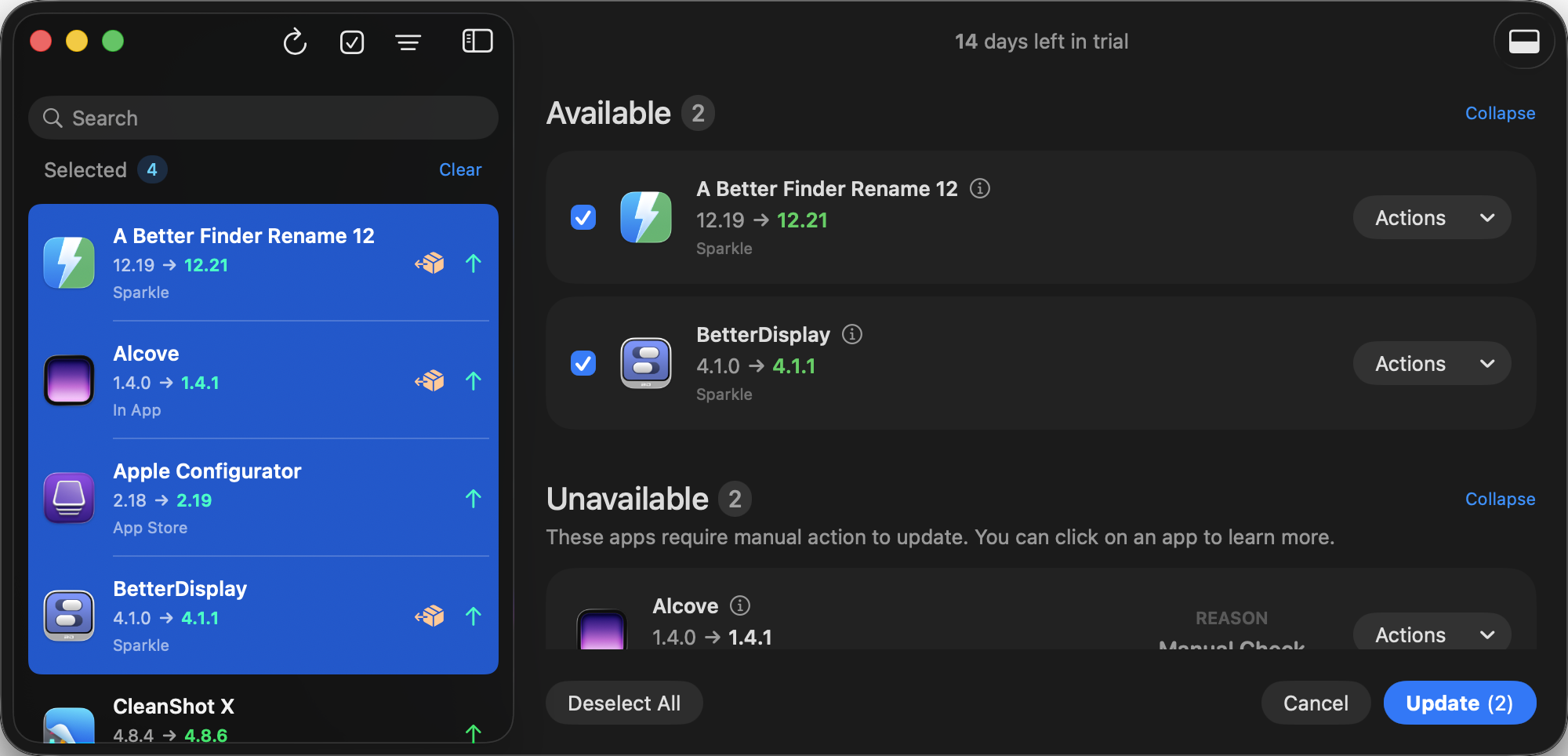
* Screenshot may not reflect the latest beta UI
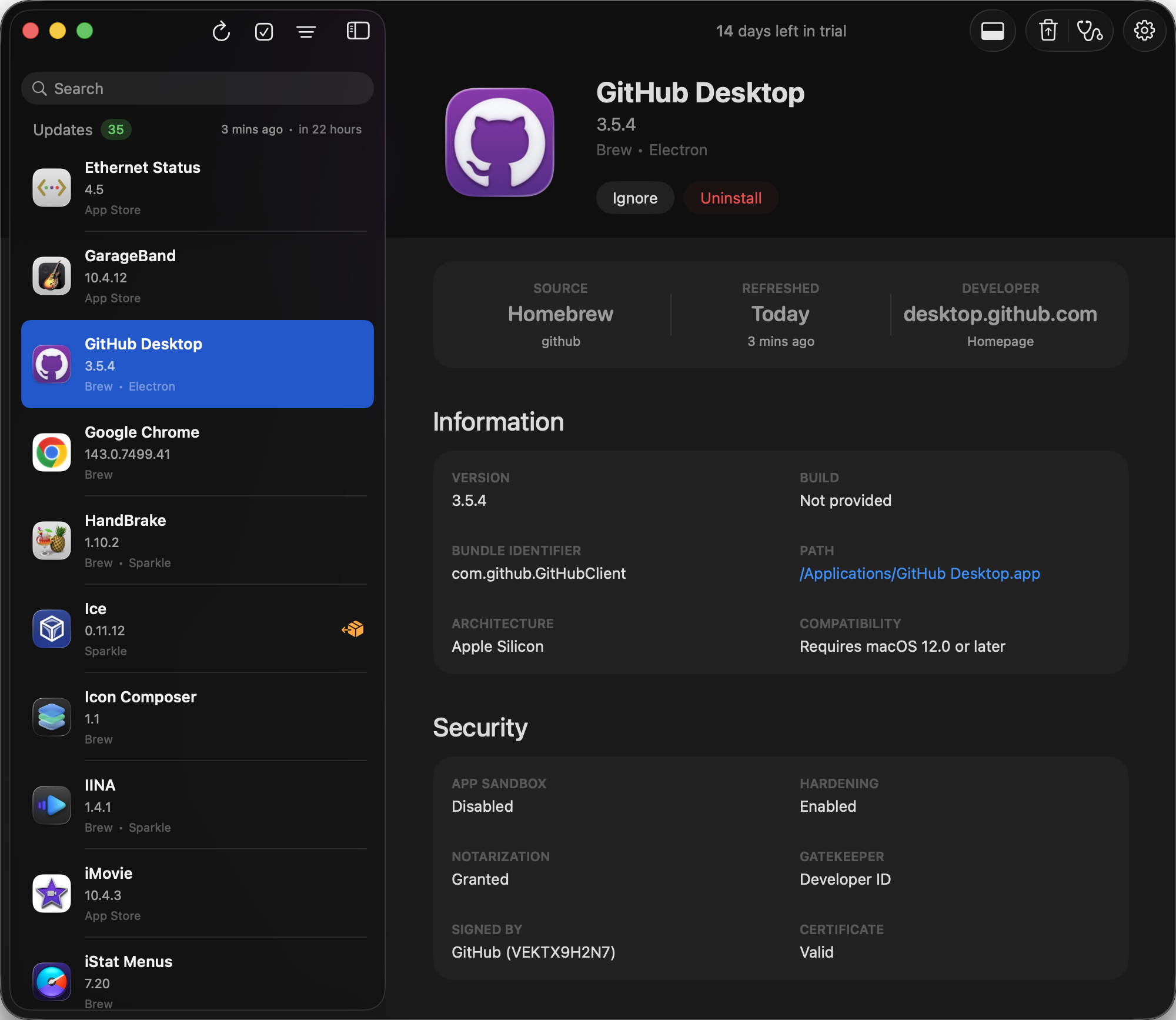
* Screenshot may not reflect the latest beta UI
Know your apps.
Inside and out.
Deep insights into every application on your Mac.
Download URLs
Grab direct download links for versions where available.
App Details
Version numbers, bundle IDs, file sizes, and developer info.
Security Insights
Code signing, notarization, and Gatekeeper verification.
Your privacy.
Our promise.
Your data stays where it belongs — on your machine. Always.
Updatest operates entirely on your local machine using Homebrew and other app frameworks required for updates and cask adoption. We don't collect personal data, don't track your usage, and don't transmit information about your apps or system.
Zero Tracking
No analytics, cookies, or user identification. Your usage is your business.
Local Processing
Everything happens on your Mac. No cloud servers, no data uploads.
Minimal Network
Internet access only to check for updates and verify your license.
Updatest requires App Management permission to update applications. Without it, macOS will show “Updatest.app was prevented from modifying apps” notifications.